Skip to content

Enterprise
Source Code
Management

RhodeCode provides unified security and team collaboration across Git, Subversion, and Mercurial. Developers get unified code review and automation with a common set of tool integrations across all repositories.

3
version control systems, one platform. Built to add the next.
4.9/ 5
Capterra, across 22 reviews
24hours
to a support answer from a core developer
0
telemetry. None collected. The instance never contacts RhodeCode.
Behind the firewall at
AppleCiscoVerizonLEGONintendoSonyThalesSandia National LaboratoriesUS Naval Research LaboratoryNOAAPacific Northwest National LaboratoryKongsbergMercedes-AMG PetronasContinentalBoschDeutsche BörseRabobankFujitsu

18 named deployments · many more under NDA

Consumer
AppleConsumer technology
LEGOConsumer manufacturing
NintendoConsumer technology
SonyConsumer technology
Technology
CiscoNetworking
FujitsuEnterprise IT
Telecoms
VerizonTelecoms
Defence
ThalesDefence & aerospace
US Naval Research LaboratoryDefence research
KongsbergDefence & maritime
Research
Sandia National LaboratoriesNational laboratory
NOAAGovernment science
Pacific Northwest National LaboratoryNational laboratory
Automotive
Mercedes-AMG PetronasMotorsport
ContinentalAutomotive
BoschAutomotive
Finance
Deutsche BörseFinancial services
RabobankFinancial services
The problem

Large engineering organisations never have just one version control system.

01

Acquisitions

Mergers leave Subversion in one division and Git in another — separate servers, separate accounts, separate ideas of who may read what.

02

Embedded toolchains

Legacy build systems are pinned to a VCS that cannot be swapped on a project timeline. The migration date keeps moving.

03

Three of everything

The usual answer is three platforms and three audit trails for one auditor. RhodeCode is the other answer.

The answer

Pick the repository type depending on your project, not on your code management tool.

GitMercurialSubversionOne permission modelOne review queueOne audit trailONE INSTANCE
One platform · three systems

Unified tools for Mercurial, Git and Subversion

One platform, three systems, and the same three capabilities across all of them.

One platform · three systems
00a.1

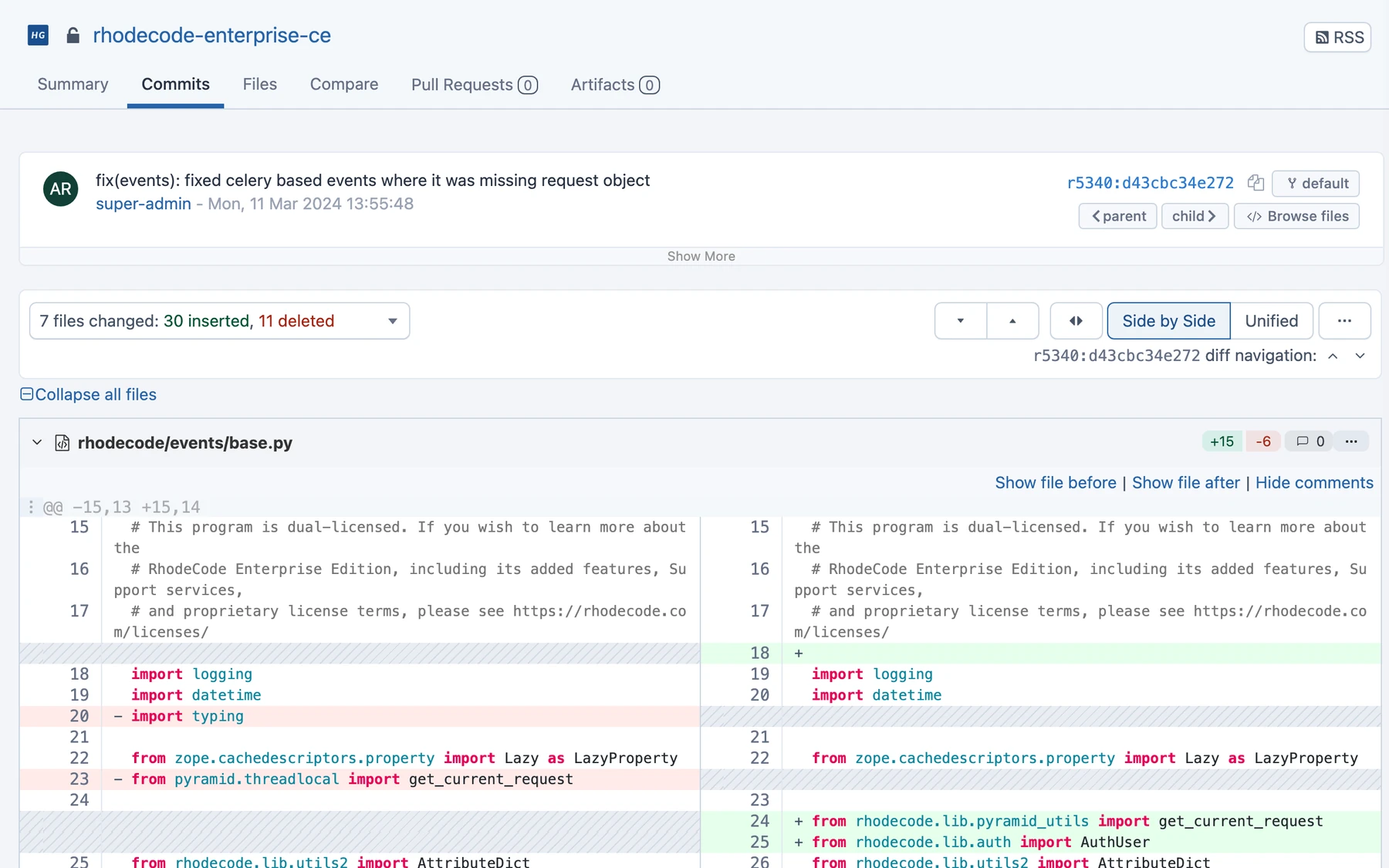
Team collaboration

Iterate more quickly with enterprise code review tools and automated interactions.

  • Inline comments for instant feedback
  • Smart commits to trigger approvals and merges
  • Custom workflows shaped to your process
code.yourcompany.internal / rhodecode-enterprise-ce / changeset
A side-by-side diff in RhodeCode
Side-by-side diff7 files · 30 inserted · 11 deleted
00a.2

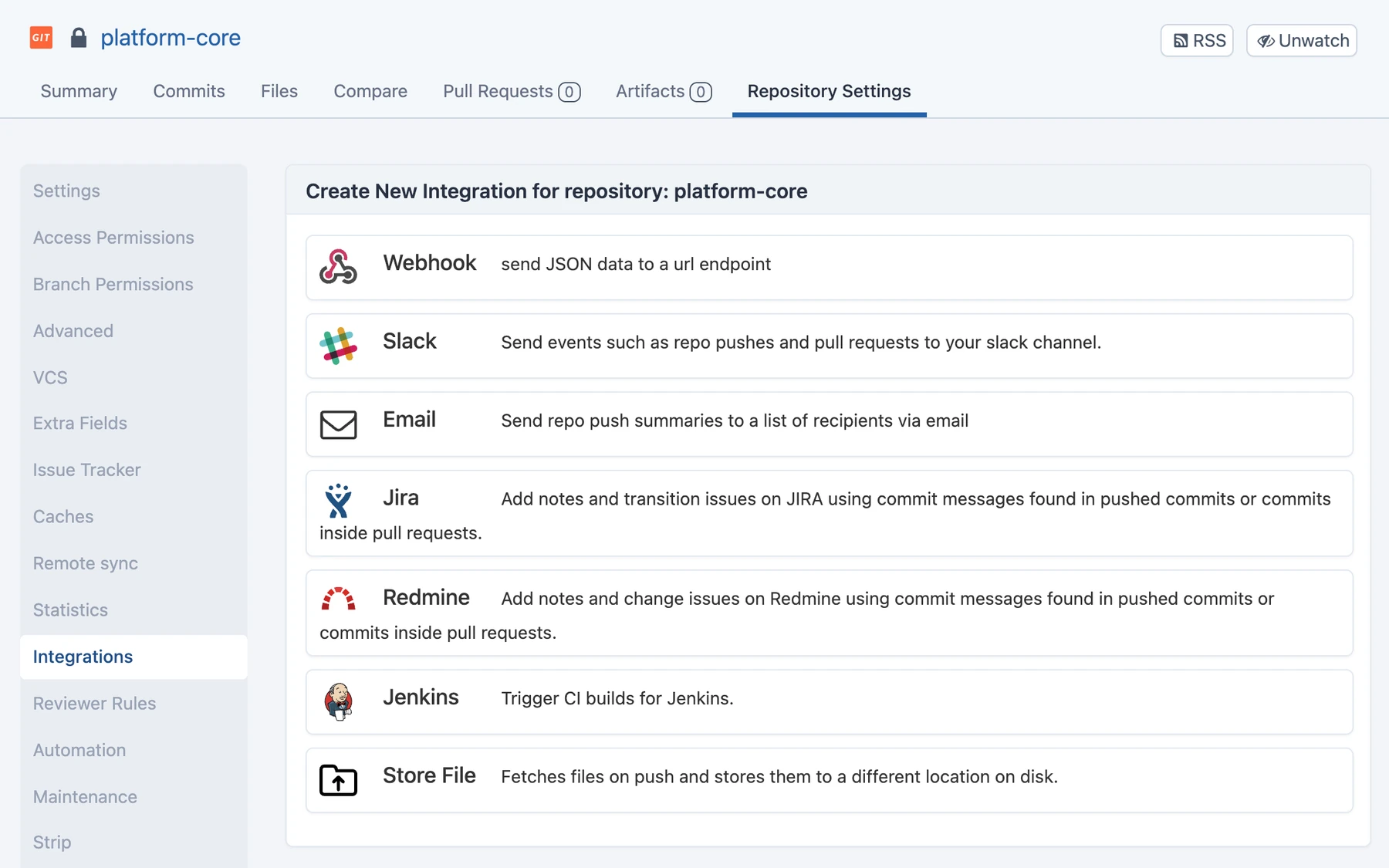
Workflow automation

Automate the routine so reviewers spend attention on the code.

  • Reviewer rules assign the right owners
  • Event hooks and webhooks on every action
  • Full REST API for your own automation
code.yourcompany.internal / platform-core / settings / integrations
The integrations settings of a RhodeCode repository
Hooks on every actionWebhook · Slack · Jira · Jenkins
00a.3

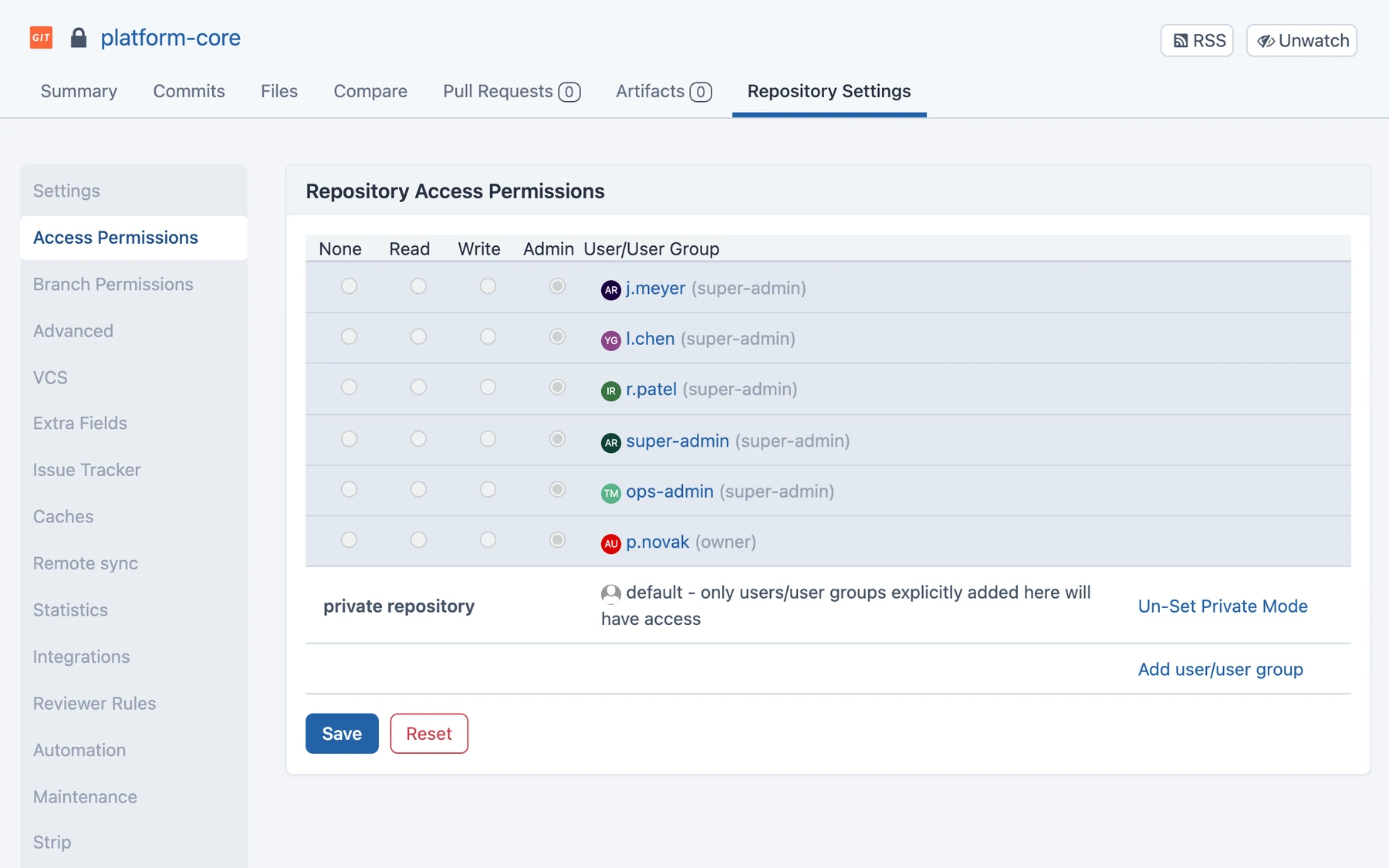
Permission management

Centralise access control and prove it to an auditor.

  • Team, individual or repository level
  • Common access control across every repository
  • IP restrictions and an immutable audit log
code.yourcompany.internal / platform-core / settings / permissions
The permissions settings of a RhodeCode repository
One access modelNone · Read · Write · Admin
What changes

Legacy and modern code, one standard of control.

Military-grade security

Behind your firewall, on the same platform as our defence and fin-tech customers. No telemetry — the instance never contacts RhodeCode.

0 telemetryLDAPADSAML 2.0CASOAuth2FA

Increased IT ROI

Unlock value from legacy apps and the teams wastefully isolated from your newer projects — without a rewrite.

SVN to Git, no compromise

A real path to Git while your SVN apps and tools keep earning for years. Both under one permission model.

Global scale

Large distributed teams need SCM that is secure and still fast. Multi-node, parallel instances, centralised or distributed storage.

A common set of tool integrations across all repositories.

JenkinsJiraSlackRedmineBambooWebhooksEmailREST API
Verified reviews

In their own words.

Why people choose RhodeCode, in their own words — collected on platforms we do not control.

4.9/ 5

Capterra overall · 22 reviews

Ease of use4.9
Customer service4.6
G2 overall4.1

All 22 Capterra reviews ↗

5.0Capterra
RhodeCode is a solid VCS system which supports all git, svn and mercurial. The fact it does all 3 is unique.

ConDoesn't support AlmaLinux via the default installer. Considered GitLab, which doesn't support svn or mercurial.

Craig F.MD · Information Technology & Services
5.0Capterra
It has amazing features such as full text code search and unified code review.

ConSometimes the development process can get lengthy because of RhodeCode.

Shubham G.Sr. IT Consultant · IT & Services
4.0Capterra
Advanced features like workflow automation significantly reduced the time consumption, and the security control is good.

ConSupport services need improvement, and the cost is a constraint.

Kalleshi T.Cloud Engineer · IT & Services
4.5G2
Permissions are granular enough that we stopped maintaining our own scripts for repository provisioning.

ConThe admin surface takes a while to learn.

Platform EngineerEnterprise · 1,001–5,000 staff
5.0Capterra
Code review across three version control systems in one interface saved us running two platforms.
Senior DeveloperManufacturing · 501–1,000 staff
5.0Capterra
I seamlessly integrate it with SVN and mercurial which makes it easy to work with different types of code.
Daniel A.Tech Applications Manager · Semiconductors
5.0Capterra
RhodeCode excels in repository management, offering easy navigation and seamless repository handling.

ConThe user interface isn't as intuitive as other platforms. It feels outdated at times.

Vivek K.Marketing Specialist · Accounting
5.0Capterra
What I like most about RhodeCode is its scalability and performance.
David M.Web Developer · switched from GitHub and GitLab
4.0G2
Self-hosting was non-negotiable for us. RhodeCode was the only option that also kept our Mercurial history.

ConInitial setup needed help from support.

Engineering ManagerFinancial Services · mid-market
4.5G2
The audit trail answered a compliance question that used to take us a week to reconstruct by hand.

ConReporting could be richer out of the box.

Security LeadRegulated industry · enterprise
Editions

Free to run. Priced per user when you need more.

Community

AGPLv3
Freeunlimited users

Every VCS, pull requests, code review, permissions and the full API. Self-supported.

  • Your own hardware, or Hetzner, AWS, GCP, Azure
  • RCstack installer, one command
  • Air-gapped installation supported
  • Unlimited users and repositories
Download 5.14.0

Enterprise

Most deployed
$75/ user / year

per year

  • Support with an SLA, enterprise authentication, code search at scale and high availability.
  • Your own hardware, or Hetzner, AWS, GCP, Azure
  • Helm and Kubernetes for clusters
  • High availability, multi-node scaling
  • You hold the data, keys and boundary
Start 30-day trial →

Enterprise Cloud

Managed
$96/ user / year

per year

  • Every Enterprise feature on a dedicated server we size to your team. Billed annually, 10-user minimum, extra discount from 50 users.
  • We run it on Hetzner, AWS, GCP, Azure, dedicated and isolated
  • Your own domain with enterprise SSL
  • Daily backups, upgrades and monitoring
  • 30-day trial
  • A dedicated instance:
Talk to sales

Enterprise Edition is licensed for a minimum of 10 seats; added seats come in 10-seat packs. Two and three year terms qualify for a discount. Discounts for nonprofits, education and research institutions.

Install

Up and running in four commands.

The rcstack installer brings up RhodeCode on a single host — behind your firewall, on your hardware.

  1. 1Fetch the installer
  2. 2Bootstrap the stack
  3. 3Bring the services up
  4. 4Create the first admin
root@scm-01
$curl -O https://dls.rhodecode.com/rcstack && chmod +x rcstack✓
$./rcstack init --edition ce✓
$./rcstack stack up✓
$./rcstack cli create-admin✓
running on http://localhost:10020